· The Pomegranate team · 4 min read
What you need to run studio plugins live over MADI
The computer, interface and plugins you need to put Pomegranate between your console and the show, plus how the signal flows.
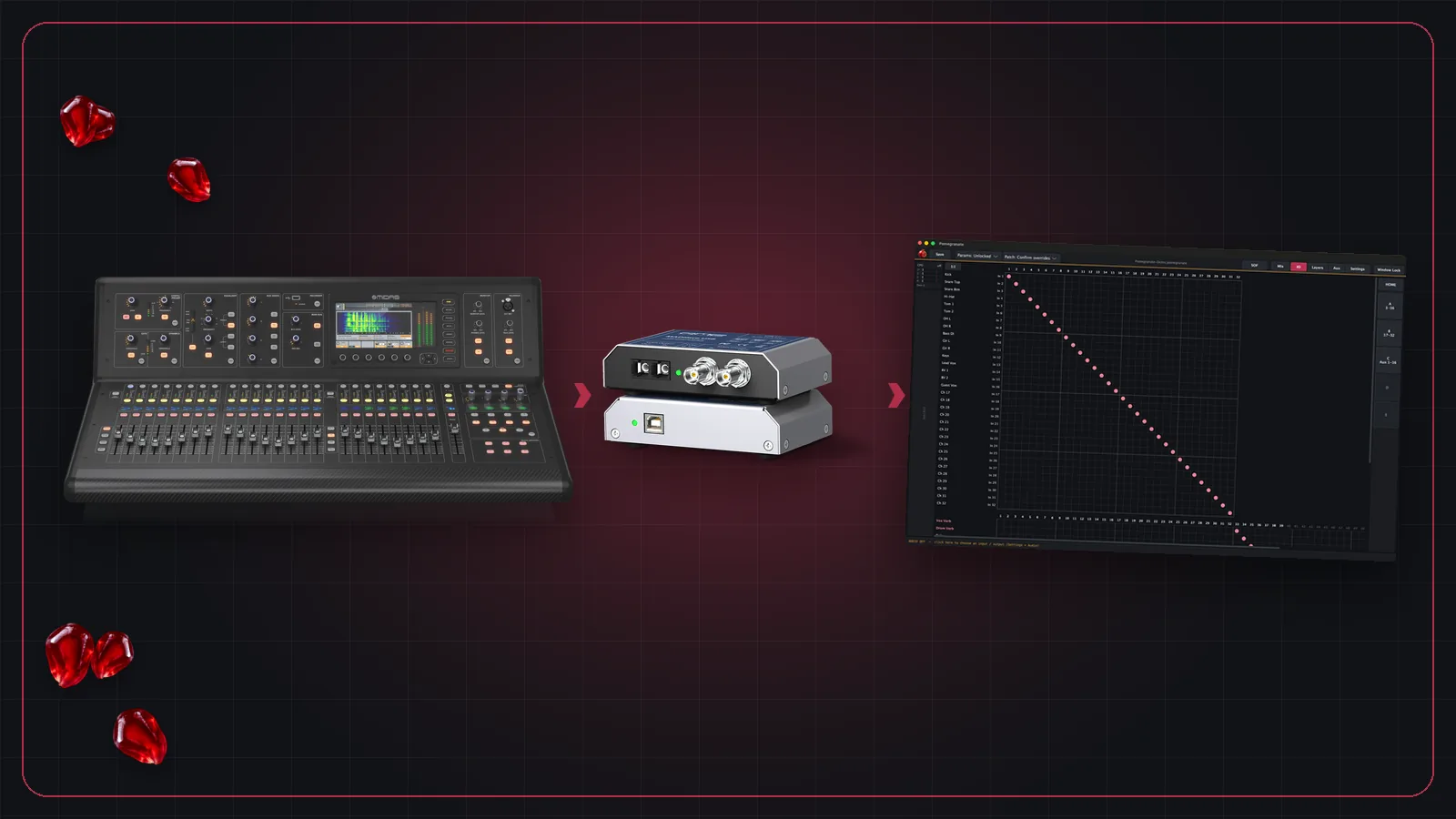
Pomegranate doesn't need any extra hardware of its own. Your computer is the processor. Here's what goes into a typical setup.
The signal path
Your console sends channels out over MADI to an audio interface connected to your computer. Pomegranate runs your plugins on each channel and sends the processed audio back to the console the same way.
Console ──▶ Interface ──▶ Pomegranate
                        (plugins on
                         every channel)
Console ◀── Interface ◀── processed audio
What you'll need
- A console with MADI. Many digital consoles in production companies and venues have MADI built in or as an option card.
- A MADI audio interface for your computer.
- A computer. Windows with ASIO is the live platform. Pomegranate also runs on macOS.
- Your own licensed VST3 plugins. Plugins aren't included. Pomegranate hosts the ones you already own.
Sizing the session
A session runs 32 or 64 channels, with 0, 8 or 16 aux buses. Each strip, whether a channel or an aux, can hold up to 8 plugins. Auxes carry monitor and effects sends, Pre or Post, with sends on fader.
Routing
Inputs and outputs are connected on a grid, with mono, stereo and mono-to-stereo channels. Banks and layers let you lay out strips the way you work, with channels and auxes side by side.