· The Pomegranate team · 8 min read
What is Dante audio? Networking, Dante Virtual Soundcard and plugins
Dante carries audio over standard Ethernet. How it works, latency, clocking, redundancy, switch setup, and how Dante Virtual Soundcard gets channels into a plugin host.
Dante is an audio-over-IP technology from Audinate. It sends uncompressed, multichannel audio over ordinary Ethernet cable and switches, and lets you route any channel on any device to any other device from software. Audinate says Dante is built into thousands of products from hundreds of manufacturers, and it's widely used in live sound, installed systems and broadcast.
How Dante works
Every Dante device, whether a console, a stage box, an amplifier or a computer, connects to a network switch. Devices find each other automatically. You then make routes, such as stage box input 1 to console channel 1, in Dante Controller, a free app for Mac and Windows. Dante Controller also sets sample rate, clocking and latency, and shows clock stability and packet errors.
Latency
Dante latency is set on the receiving device. According to Audinate's documentation, the default is 1 ms, which suits networks of up to 10 switch hops on a Gigabit core. Fast devices such as PCIe cards on Gigabit-only networks can go as low as 150 µs. If the transmitter and receiver are set differently, the higher value applies.
Clocking
Dante devices synchronize over the network using PTP (Precision Time Protocol). One device is elected leader and the rest follow it. The election favors devices with a word clock or AES3 input, and you can mark a device as Preferred Leader to choose it yourself. A device can also lock to an external word clock.
Redundancy
Many Dante devices have two network ports. In redundant mode, audio goes out of both ports to two separate networks, so if a cable or switch on the primary network fails, the secondary keeps the audio running. Not every device supports this; check before you design a redundant system.
Switches
Dante runs on standard Ethernet, but the switch matters. Common guidance from Focusrite and Symetrix:
- Use Gigabit switches, with Cat6 cable for new installs.
- Turn on QoS using DSCP with strict priority and four queues, so clock and audio packets go first.
- Turn off Energy Efficient Ethernet (EEE). Symetrix states plainly that Dante and EEE are not compatible.
Getting Dante into a computer
To run plugins on Dante channels, the computer needs to join the network. There are two ways.
Dante Virtual Soundcard
Dante Virtual Soundcard (DVS) is software that turns a computer's wired Ethernet port into a Dante device. It appears as an ASIO device on Windows and a Core Audio device on Mac. Audinate's comparison:
| DVS | DVS Pro | |
|---|---|---|
| 48 kHz | 64 × 64 | 128 × 128 |
| 96 kHz | 32 × 32 | 128 × 128 |
| Latency buffer | 4, 6 or 10 ms | 4 to 40 ms |
| Price (USD, per Audinate) | $49.99 single machine | $124.99 per year |
DVS is cheap and needs no hardware, but its buffers start at 4 ms. That is fine for recording and playback, and usable for some processing, but on vocals feeding in-ear monitors you'll usually want something faster. See latency in live sound.
A Dante interface or PCIe card
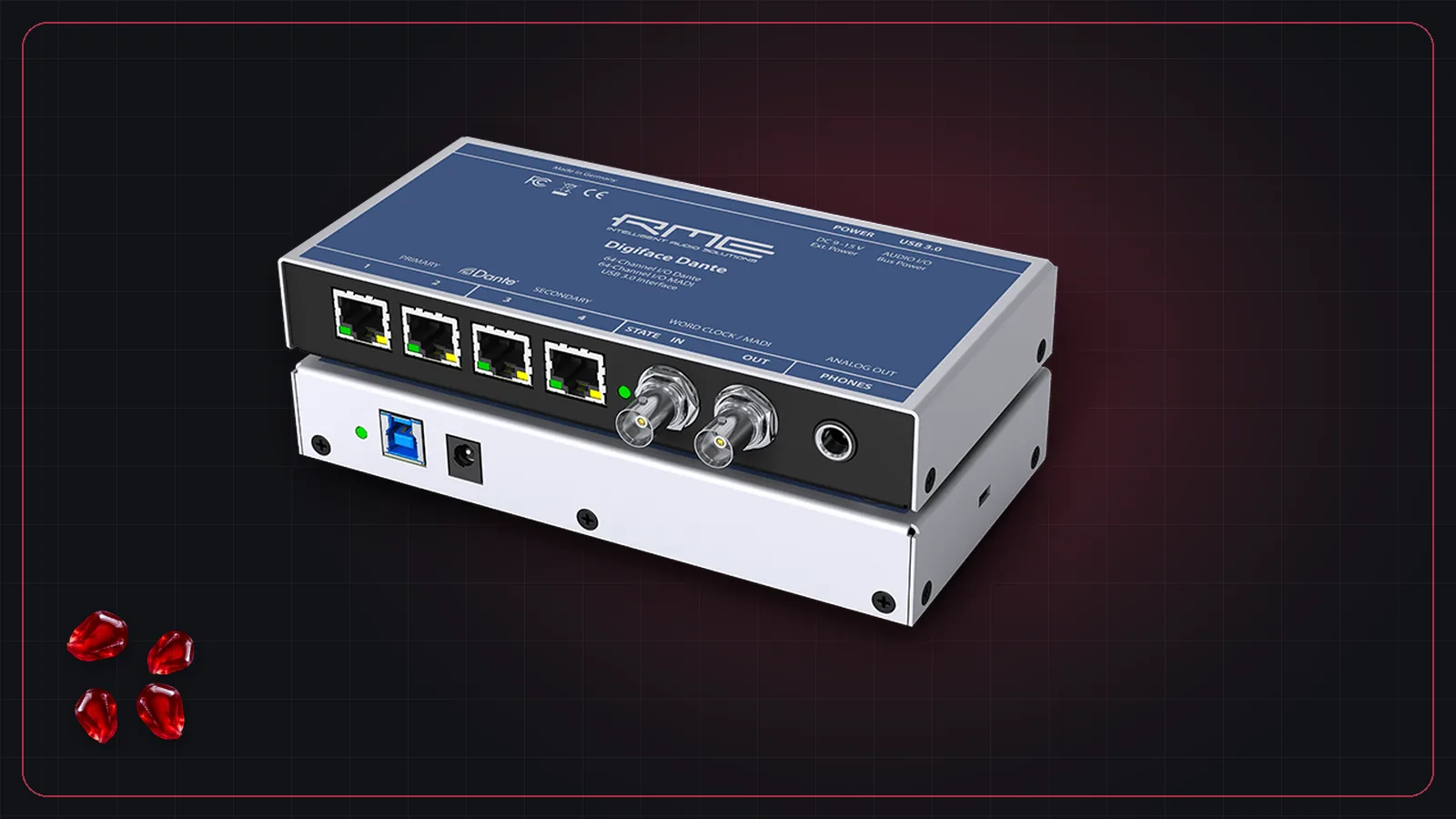
Hardware Dante interfaces have much lower latency. Examples include the Focusrite RedNet PCIeR card (128 × 128 up to 96 kHz), and RME's Digiface Dante (USB 3, 64 Dante channels, plus MADI) and HDSPe AoX-D PCIe card. These appear to your plugin host as a normal ASIO or Core Audio interface.
Dante, AES67 and Dante Domain Manager
Many Dante devices can also exchange audio with other AES67 systems. For larger installs, Audinate's Dante Domain Manager adds user authentication, domains that separate parts of the network, routing across subnets, and monitoring.
Choosing between Dante and MADI for your rig? Read Dante vs MADI.
Frequently asked questions
What is Dante in audio?
Dante is an audio-over-IP technology from Audinate. It sends many channels of uncompressed audio over standard Ethernet networks, with routing between devices set up in software.
Is Dante Controller free?
Yes. Audinate's Dante Controller is a free download for Mac and Windows. It's used to route audio between Dante devices and to set sample rate, clocking and latency.
How many channels does Dante Virtual Soundcard support?
Per Audinate, the standard version supports 64x64 channels at 44.1/48 kHz and 32x32 at 88.2/96 kHz. Dante Virtual Soundcard Pro supports 128x128 at 48 and 96 kHz.
What latency does Dante have?
Dante hardware defaults to 1 ms of device latency, suitable for up to 10 switch hops on a Gigabit network, and can go as low as 150 µs on fast devices. Dante Virtual Soundcard uses larger buffers of 4 ms or more.
Do I need a special switch for Dante?
Use a Gigabit switch with QoS (DSCP, strict priority, four queues), and turn off Energy Efficient Ethernet. Audio equipment makers such as Focusrite and Symetrix recommend managed switches that allow these settings.