 Pomegranate
Live plugin host
Your studio plugins, on every channel of the show.
Pomegranate connects to your console over MADI and runs up to 8 VST3 plugins on each of 64 channels and 16 aux buses. Designed for low latency and stability.
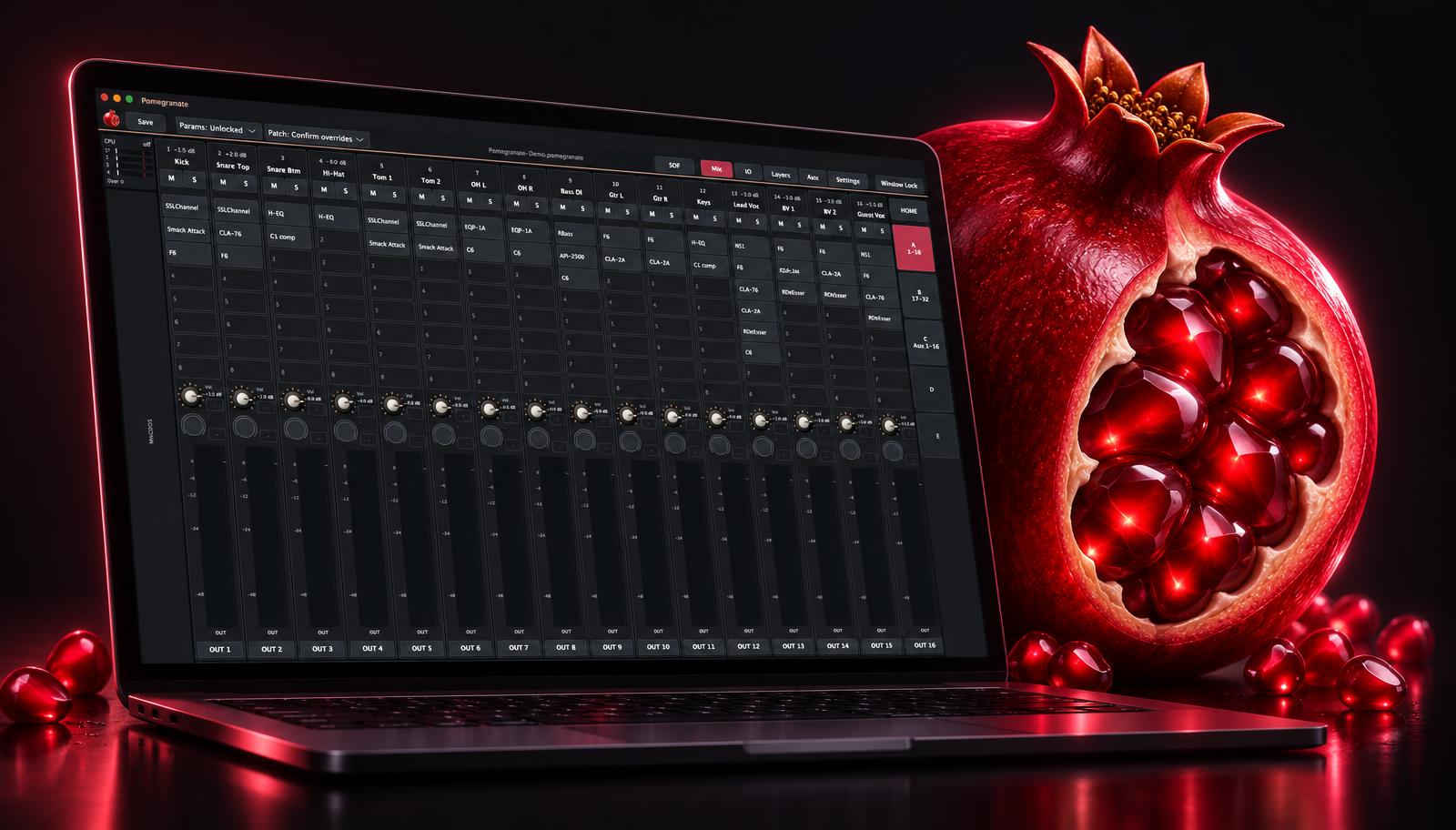

No second take.
Your console's built-in processing may not include the plugins you want. Those plugins run on a computer, and it has to keep up for the whole show. Pomegranate's only job is running them live.
Console ──MADI──▶ Interface ──▶ Pomegranate
                                (plugins on
                                 every channel)
Console ◀──MADI── Interface ◀── processed audioProcessing shared across the CPU
Channels are split into groups that run side by side. Auto-balance suggests an even split from measured load.

Find a plugin in a few keystrokes
Type a few letters. Filter by maker, category or your own tags. Typos are tolerated.

Monitor and effects sends
Pre or Post sends to each aux, with sends on fader.

Routing on a grid
Connect inputs to outputs, with mono, stereo and mono-to-stereo channels.

Banks and layers your way
Lay out strips how you work, with channels and auxes side by side.

Keyboard navigation
Arrow keys across strips and plugins, or jump to the next EQ or compressor.
Solo that leaves the mix alone
Listen to any channel, or right after any plugin, on separate outputs.
MIDI and OSC control
Hardware controllers and network apps, with values sent back to motorised faders.
Latency compensation
Keeps channels lined up when plugins add delay.
Show locks
Lock parameters and patching before doors. Mute keeps working.
Crash reports that name the plugin
The report says which channel and plugin was running.

Who it's for
- Front-of-house and monitor engineers who want their own plugin sounds at a show.
- Touring engineers who want the same setup from venue to venue.
- Production companies and venues with MADI-equipped consoles.
You'll need a computer, a MADI audio interface and your own licensed plugins. Plugins aren't included.
- Live platform
- Windows with ASIO
- Also runs on
- macOS
- Plugin format
- VST3
- Audio connection
- MADI, via your audio interface
- Extra hardware
- None — your computer is the processor
- Channels
- 32 or 64
- Aux buses
- 0, 8 or 16
- Plugins per strip
- Up to 8
- Version
- 0.1.0 pre-release


Pomegranate is in pre-release.
Version 0.1.0. Pricing and release date are coming soon.